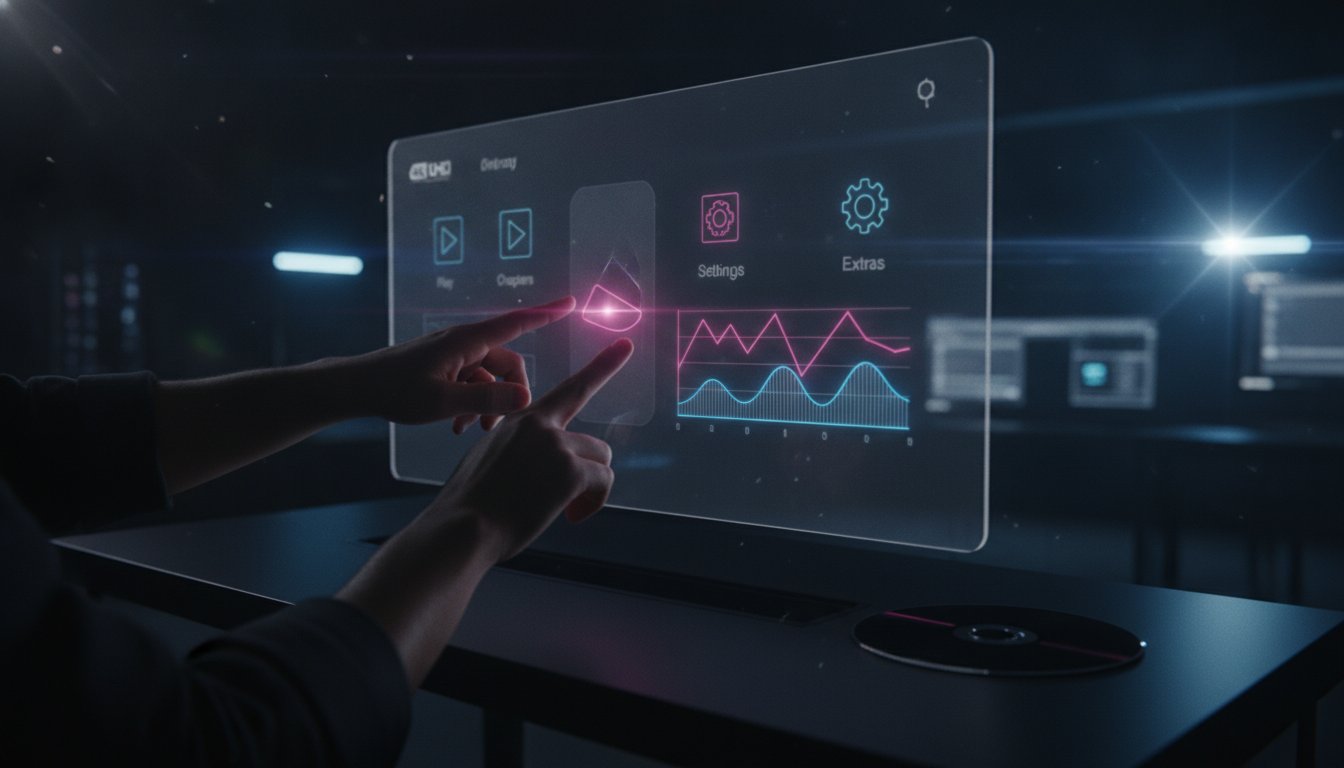
In 2026, a clunky menu is more than just an eyesore; it’s a technical liability that can lead to immediate disc rejection. As physical media enters its third decade, collectors expect a premium, seamless interface that rivals the best streaming platforms. You likely understand the frustration of balancing high-bitrate video with the technical constraints of BD-J. Mastering Blu-ray menu UX design isn’t about flashy intros anymore. It’s about invisible efficiency and rock-solid reliability that respects the viewer’s time.
You’ve worked hard on your film, so the last thing you want is a navigation bug to ruin the user journey from disc insertion to feature play. This article provides a professional checklist to ensure your disc meets international playback standards while enhancing your brand’s value. We’ll explore how to organise minimalist layouts, manage motion graphics within disc space limits, and ensure your 4K UHD menus look stunning on everything from a PlayStation 5 to a high-end dedicated player. By the end of this guide, you’ll have the technical confidence to deliver a flawless consumer experience that stands up to global scrutiny.
Key Takeaways
- Learn why professional Blu-ray menu UX design must now outshine streaming interfaces to meet the high expectations of modern physical media collectors.
- Master the “Three-Click Rule” and logical information architecture to ensure navigation is intuitive and always keeps the feature film as the primary focus.
- Balance aesthetic motion graphics with strict bit-budgeting by using HEVC encoding for 4K UHD menus without sacrificing the film’s visual quality.
- Optimise for global distribution by designing flexible layouts that accommodate varying text lengths across multiple languages and localisation requirements.
- Identify the critical role of broadcast-quality QC in catching navigation bugs early to prevent expensive disc rejections and replication failures.
Defining Modern Blu-ray Menu UX: Beyond the “Golden Era”
The “Golden Era” of DVD menus often focused on elaborate, long-winded animations that frustrated the viewer. In 2026, Blu-ray menu UX design has moved toward precision and speed. Collectors who invest in physical media today aren’t looking for a gimmick. They want a premium interface that feels more robust and responsive than a streaming app. This psychological shift from “entertaining the viewer” to “empowering the collector” means the menu must act as a high-performance portal, not a mandatory pre-show.
Modern Blu-ray technology relies on BD-J (Blu-ray Disc Java) to handle complex interactions. This environment allows for sophisticated, layered navigation that remains snappy. Technical capability shouldn’t lead to over-design. A “tower block” static menu, which uses a clean vertical or horizontal list, often provides a superior user experience compared to a poorly encoded motion menu that lags. Efficiency is the ultimate mark of professional authoring.
The Anatomy of a Premium Disc Experience
A high-end disc experience starts before the main menu even appears. First-play logic must be surgical. Studios often clutter the start-up with unskippable logos, but professional UX design balances branding with user patience. Consistency across the disc is vital. The menu’s colour grade and typography must match the film’s aesthetic to avoid a “cheap” feel.
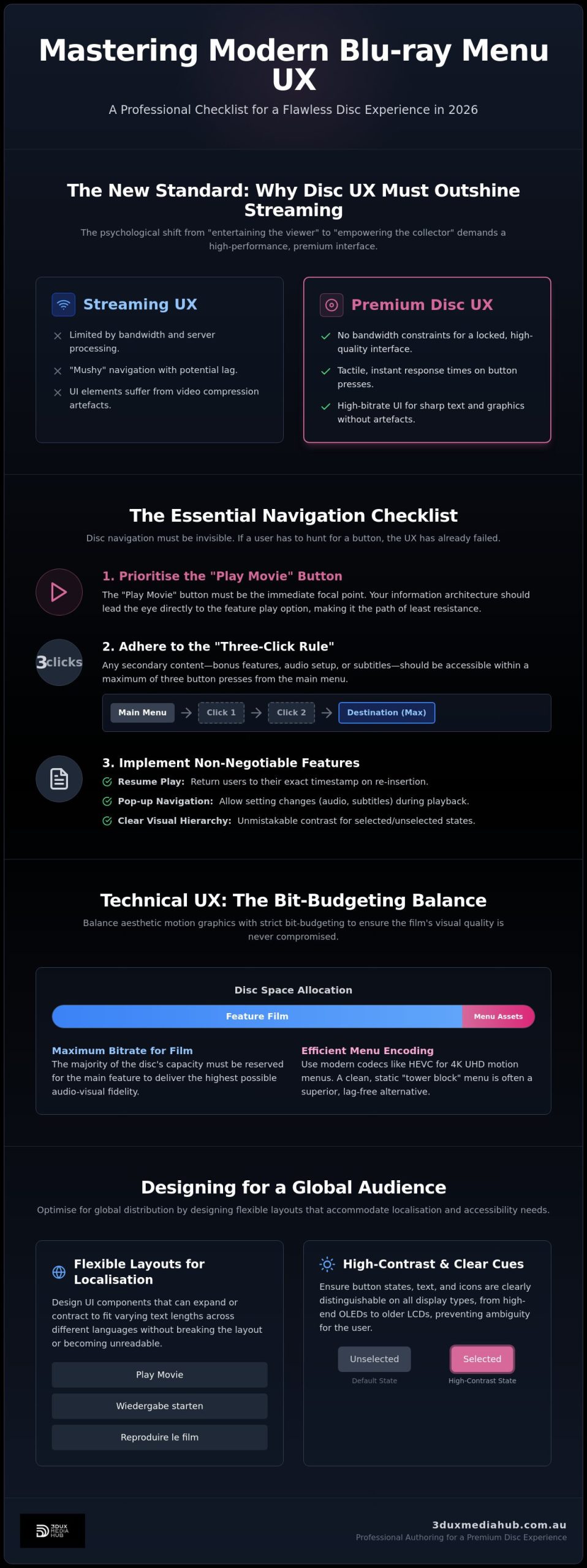
- Resume Play: This is a non-negotiable requirement. Users expect to return to their exact timestamp upon re-insertion.
- Pop-up Navigation: Modern menus should allow for setting changes during playback without leaving the film.
- Visual Hierarchy: The “Play Movie” button must always be the immediate focal point.
Streaming vs. Physical Media: The UX Gap
Streaming interfaces are limited by bandwidth and server-side processing, which often leads to “mushy” navigation. Physical media doesn’t have these constraints. Tactile feedback and instant response times matter. Button highlights must trigger the millisecond a user presses the remote. Because you aren’t fighting for bandwidth, UI elements can be rendered at higher bitrates. This results in sharper text and icons that don’t suffer from compression artefacts. A well-authored disc provides a locked, high-quality interface that streaming cannot match. It feels permanent, professional, and precise.
The Essential Navigation Checklist: Ensuring Seamless Playback
Disc navigation must be invisible. Effective Blu-ray menu UX design prioritises the “Play Movie” button above all else. It sounds basic, yet many modern discs bury the primary function under auto-playing trailers or complex sub-menus. Your information architecture should lead the eye directly to the feature play option. If a user has to hunt for the start button, the UX has already failed. High-end collectors value their time. Respect it by making the path of least resistance the most obvious one.
Adhere to the “Three-Click Rule” for all secondary content. Any bonus feature, audio setup, or subtitle toggle should be accessible within three button presses from the main menu. This level of efficiency prevents the “clunky” feel associated with legacy DVD navigation. Maintaining this standard in Blu-ray menu UX design ensures the collector feels in control of their media, rather than being a passenger to a rigid software structure.
Menu Hierarchy and Layout Principles
Standardisation is your best friend. Remote control users rely on muscle memory. Place primary navigation buttons in consistent locations, such as the bottom third or a vertical sidebar. Scene selection screens require more than just a still image. Provide meaningful thumbnails and accurate timecodes. Organise “Special Features” by category rather than a long, scrolling list. Grouping deleted scenes, documentaries, and commentaries into logical buckets makes a massive disc feel manageable.
Visual cues must be unmistakable. The difference between “Selected” and “Unselected” states should be clear on all display types, from high-end OLEDs to older LCD panels. Use high-contrast colours or distinct graphical changes, such as an underline or a glow effect. Subtle audio feedback, like a short “click” sound on a button press, provides necessary confirmation that the player has registered the command. For complex projects, partnering with professional authoring partners ensures these interactive layers are bug-free across all hardware.
User Control and Feedback
The pop-up menu is a critical tool for the 4K UHD era. It must allow users to toggle subtitles or chapters without obscuring the frame or stopping the film. Keep these overlays minimalist. Use transparent backgrounds and clean typography to maintain the cinematic experience. Every sub-page needs a clear “Back” or “Main Menu” button. Never leave a user in a navigation dead-end where they have to restart the disc to return to the start.
Legal disclaimers and studio cards are often unskippable for contractual reasons. Take a no-nonsense approach here. Keep the duration to the absolute minimum required by law. If you can’t make them skippable, ensure they don’t loop or lead into another set of unskippable trailers. The goal is to get the viewer to the content they paid for as quickly as possible. Professional QC processes should always verify that these “user-prohibited actions” don’t accidentally lock out essential navigation features. The same rigorous approach to quality control for VOD platforms applies equally to physical media, where a single technical rejection can derail your entire distribution timeline.
Technical UX: Balancing Motion Graphics with Bit-Budgeting
Every megabyte on a physical disc is a finite resource. While 4K UHD discs offer significant capacity, professional Blu-ray menu UX design requires a disciplined approach to asset management. You cannot simply throw uncompressed motion graphics at a disc and expect it to perform. Every bit dedicated to an elaborate menu is a bit stripped from the feature film’s maximum bitrate. High-end authoring is a game of compromise where the goal is a premium interface that doesn’t compromise the cinematic presentation.
Static menus are often the superior choice for boutique releases. A high-resolution, 10-bit static image provides a crisp, clean look that feels more “expensive” than a heavily compressed, noisy motion background. If you do opt for motion, it must be encoded with surgical precision. Poorly executed motion menus lead to sluggish response times and visible compression artefacts that scream “low budget”.
What is Bit-Budgeting in Authoring?
Bit-budgeting is the strategic allocation of disc space between video, audio, and interactive assets. High-bitrate audio tracks, such as DTS-HD Master Audio, provide an immersive menu experience but consume substantial bandwidth. If the menu audio and video streams are too heavy, the player’s buffer may struggle, causing the Blu-ray menu UX design to feel “heavy” or unresponsive. Calculating a “safe zone” is essential. Generally, menu assets should not exceed 1% to 2% of the total disc capacity to ensure the feature film retains its visual integrity.
Motion Graphics for UHD Menus
For 4K UHD projects, using HEVC (H.265) encoding for motion backgrounds is the modern standard. It allows for higher quality at lower bitrates compared to legacy AVC encoding. Technical execution must be flawless to ensure seamless looping. Professional authoring involves using specific “in” and “out” points or seamless connection flags to prevent the dreaded “black frame” when a menu loops. This keeps the user immersed in the experience rather than being reminded of the software’s limitations.
- Alpha Channels: Use these for sophisticated button transitions and overlays that feel integrated into the background.
- Rec.2020 Consistency: Ensure the menu matches the film’s colour space. A mismatch between an SDR menu and an HDR feature can cause the display to “handshake” or flicker during the transition to the film.
- Buffer Management: Keep motion loops short (15-30 seconds) to reduce load times and memory usage on older hardware.
Integrating 4K HDR elements into a menu requires a “safe pair of hands” to avoid lag. Sophisticated button transitions should feel like a natural extension of the film’s visual language. By maintaining technical discipline, you create a responsive, high-fidelity portal that respects both the collector’s hardware and the filmmaker’s vision.
Accessibility and Localisation: Designing for a Global Audience
Global film distribution demands more than just a translated script. Effective Blu-ray menu UX design must account for the technical realities of international markets. Text expansion is a primary hurdle. Languages like German or French can require up to 30 per cent more screen real estate than English. If your button containers are fixed-width, you risk text clipping or unreadable overlaps. Designing with “flexible padding” ensures your interface remains functional across every territory.
Subtitle selection should be seamless. It must be “dead easy” for a viewer to switch languages mid-film without returning to the main menu. Pop-up menus should provide immediate access to audio streams and subtitle tracks. Beyond basic translation, professional authoring must prioritise Audio Description and SDH (Subtitles for the Deaf and Hard of Hearing). These aren’t optional extras; they are critical components of a compliant, high-value release that meets global accessibility standards. Thorough media asset preparation for distribution ensures these multilingual components are correctly structured before your disc reaches replication.
Localisation Best Practices
Managing “forced subtitles” is a specialised technical task. These are specific subtitle events that trigger only during foreign-language dialogue, even when the user has global subtitles turned off. Failure to program these correctly leads to a broken viewing experience. To streamline the process, use universal icons where possible. A gear icon for settings or a speaker for audio reduces the translation burden and keeps the Blu-ray menu UX design clean and uncluttered. If you are preparing a multi-territory release, contact our localisation experts to ensure your assets are programmed for worldwide compliance.
Accessibility Standards for Physical Media
Modern BD-J menus allow for sophisticated accessibility features that go beyond simple text. High-contrast modes and screen reader compatibility are now standard requirements for major studio releases. The “Setup” menu should be the most logically organised part of your disc. Accessibility features should never be buried. Ensuring these options are visible and easy to toggle shows respect for your entire audience and enhances the brand value of the film.
- Regional Compliance: While 4K UHD is region-free, standard Blu-ray still operates under Region A, B, and C zones. Technical flags must be set correctly during the authoring stage to avoid costly replication errors.
- Asset Preparation: Organise your language assets early. Trying to “bolt on” localisation at the end of the project leads to navigation bugs and QC failures.
- Iconography: Use culturally neutral symbols to ensure your menu is intuitive for users who may not speak the primary language of the disc.
Professional Authoring: How 3DUX Elevates Disc UX
Executing a flawless Blu-ray menu UX design requires more than just creative flair. It demands a deep understanding of the player hardware landscape in 2026. At 3DUX Media Hub, we combine over 20 years of industry experience with the latest authoring technologies to ensure your project is both beautiful and functional. Our method is built on technical precision. We handle the heavy lifting of BD-J programming and high-efficiency encoding so you can focus on the creative vision of your film.
Navigation bugs discovered after replication are a financial disaster. Our no-nonsense QC process is designed to prevent this. We test every disc across multiple hardware profiles, including the latest gaming consoles and legacy players from remaining manufacturers. This rigorous broadcast-quality QC ensures that your menu remains responsive and bug-free, regardless of the viewer’s hardware. We don’t just author discs; we deliver peace of mind for high-value assets.
Why a “Safe Pair of Hands” Matters
Cheap authoring is a false economy. A single navigation error or a bitrate spike that causes a player to crash can lead to massive disc rejections and missed distribution windows. As a Sydney-based hub, we support global film distributors by providing a secure, reliable service. We manage the entire pipeline, including:
- Expert 4K UHD and Blu-ray authoring
- High-efficiency video and audio encoding
- Comprehensive content localisation and standards conversion
- Bespoke motion and static menu design
By acting as a proactive partner rather than just a vendor, we catch potential technical hurdles before they become expensive problems. This comprehensive approach ensures a seamless user journey from the moment the disc is inserted. We provide the technical stability required for global delivery, ensuring your film is presented exactly as intended.
Get Your Release Sorted
The best time to consider your menu structure is at the start of the post-production phase. Consulting on UX early allows us to tailor the menu’s complexity to your specific bit-budget. Whether you need a minimalist static interface or a sophisticated motion graphics suite, we ensure the Blu-ray menu UX design enhances your brand value without taxing the disc’s resources. We provide a fast turnaround without compromising on technical compliance or global distribution standards.
Organise a technical consultation with 3DUX today to ensure your next release meets the highest professional standards.
Secure Your Global Release with Professional UX
Mastering Blu-ray menu UX design is about more than just aesthetics; it’s about engineering a reliable, high-performance gateway to your content. We’ve explored how logical navigation, disciplined bit-budgeting, and robust localisation ensure your disc meets the expectations of today’s discerning collectors. In a market where physical media represents the gold standard of quality, your interface must be as polished and responsive as the film itself.
3DUX Media Hub brings over 20 years of technical expertise to every project. We provide broadcast-grade Quality Control and full global distribution support to ensure your master is ready for the world stage. Whether you’re managing a complex 4K UHD release or a niche boutique title, our team handles the technical heavy lifting so your film can shine. Don’t leave your user experience to chance or outdated authoring methods.
Contact 3DUX Media Hub for Professional Blu-ray Authoring today and let’s get your project sorted. Your release deserves a safe pair of hands and a flawless finish.
Frequently Asked Questions
What is the difference between static and motion menus for Blu-ray?
Static menus use a single high-resolution image, while motion menus incorporate video backgrounds and animated transitions. Static menus are often preferred for boutique releases because they allow for crisp, 10-bit visuals without consuming the bit-budget required for video. Motion menus provide a more dynamic experience but require precise encoding to avoid lag or compression artefacts that can compromise the overall disc quality.
How does bit-budgeting affect the quality of my 4K UHD disc?
Bit-budgeting determines the specific allocation of disc space between the feature film, audio tracks, and the Blu-ray menu UX design. Every megabyte used for complex motion graphics or uncompressed menu audio is subtracted from the film’s maximum bitrate. Professional authoring ensures that interactive assets don’t exceed 2 per cent of the total capacity, preserving the highest possible visual fidelity for the main presentation.
Can I include multi-language menus on a single Blu-ray disc?
Yes, a single disc can host multiple menu sets tailored to different languages and territories. This is achieved by programming the player to detect the user’s hardware language settings or by providing a “First Play” language selection screen. Professional localisation ensures that button layouts and text containers are flexible enough to accommodate the varying lengths of translated text without clipping or overlapping.
What is BD-J and why is it important for modern menu design?
BD-J, or Blu-ray Disc Java, is the programming environment that enables advanced interactivity and responsive navigation on the format. It allows for sophisticated features like pop-up menus during playback, dynamic button transitions, and complex game-like interactions. Without BD-J, Blu-ray menu UX design would be limited to the basic, rigid structures of legacy DVD systems, lacking the snappy, modern feel that 2026 collectors expect.
How do I ensure my Blu-ray menu is accessible for all viewers?
Accessibility is achieved by integrating high-contrast modes, clear visual focus indicators, and screen reader compatibility into the BD-J programming. You should also ensure that Audio Description and SDH (Subtitles for the Deaf and Hard of Hearing) options are logically organised and easy to toggle mid-film. Avoiding text-heavy menus in favour of universal iconography also helps users who may have difficulty reading small or complex fonts.
Why should I use a professional authoring house instead of DIY software?
Professional authoring houses provide broadcast-quality QC and deep technical expertise that consumer-grade software cannot replicate. DIY tools often produce discs with “heavy” navigation or player compatibility issues that lead to costly replication rejections. A professional team ensures your project meets international playback standards and uses high-efficiency encoding to balance the menu’s visual impact with the film’s bitrate requirements.
What is the standard resolution for a 4K UHD Blu-ray menu?
The standard resolution for a 4K UHD menu is 3840×2160, typically using HEVC encoding to maintain HDR consistency with the feature film. While the interactive graphics layer may be rendered at a lower resolution to ensure responsiveness, the background assets should match the film’s pixel count. This prevents the display from having to re-sync or “handshake” when transitioning from the menu to the start of the movie.
How long does the professional menu design and authoring process take?
Turnaround times vary based on the complexity of the navigation and the volume of bonus content, but a standard feature project typically takes two to four weeks. This timeframe includes the design phase, BD-J programming, and a rigorous broadcast-quality QC process. Early consultation during the post-production stage can often streamline the workflow, allowing for a faster delivery without compromising technical compliance or global distribution standards.