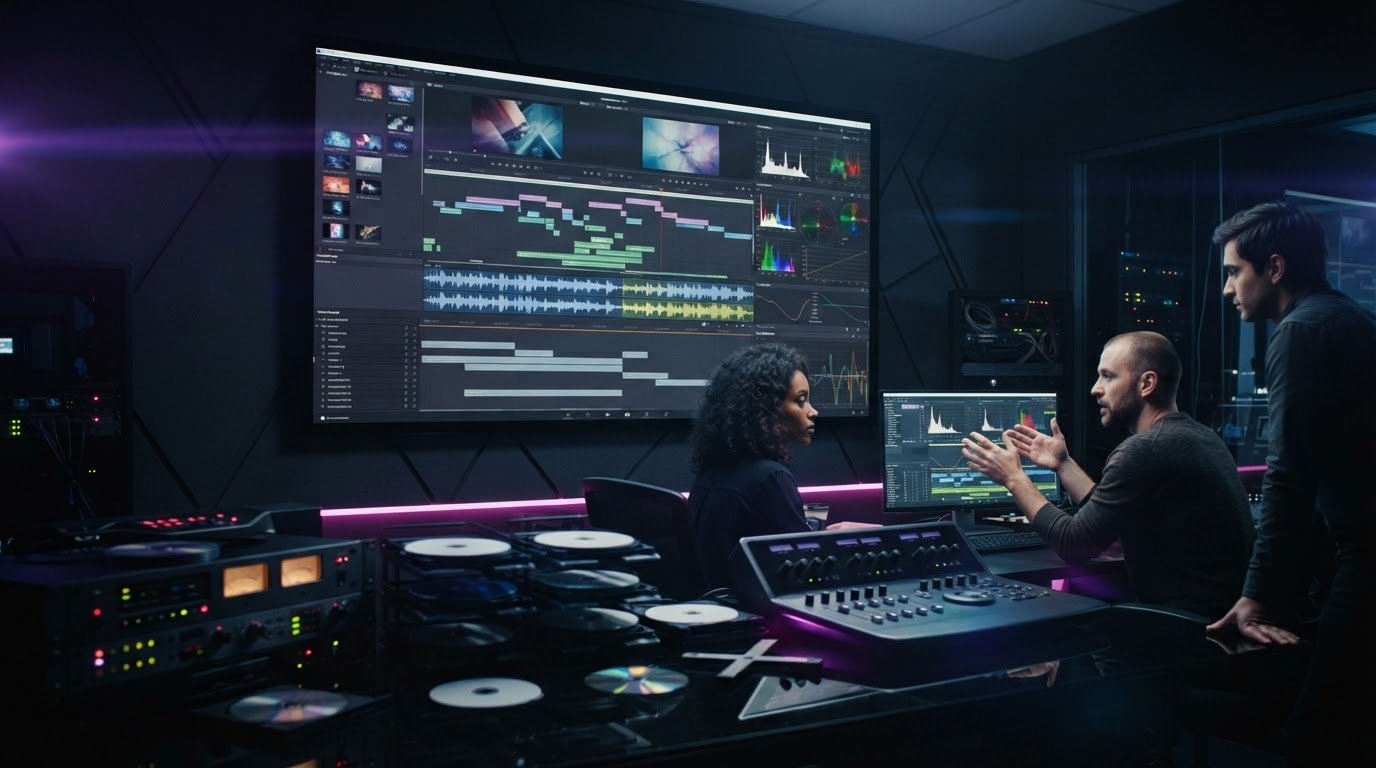
What if your film is ready for distribution, but its master fails a technical check? A professional DVD authoring studio does more than prepare disc files. It brings the finished film and its supporting assets together in a master prepared for the requirements of its intended release, helping reduce the risk of avoidable rework or delays.
DIY authoring software can handle straightforward projects, so it’s reasonable to ask whether specialist support is necessary. The answer often depends on the delivery brief. DVD, Blu-ray and 4K UHD each have different technical requirements, and encoding, menu functionality and quality control all affect the finished master.
This article explains how a specialist studio can help prepare masters, design clear menus and check playback against the intended delivery requirements. You’ll learn how 4K UHD authoring differs from Blu-ray, how quality control and standards conversion support delivery, and why localisation matters for international releases. 3DUX Media Hub provides authoring, video and audio encoding, menu design, post-production and localisation for film and television projects.
Key Takeaways
- Match the authoring workflow to the delivery format. DVD, Blu-ray and 4K UHD have different technical requirements.
- A professional DVD authoring studio can organise video, audio, subtitles and interactive elements into a master prepared for its delivery specification.
- HEVC encoding is central to 4K UHD workflows. Encoding settings should suit both the content and the delivery requirements.
- For international distribution, check master-file metadata and confirm whether standards conversion, such as PAL to NTSC, is required.
- Review menu navigation, playback and quality control requirements before selecting a workflow or finalising a release schedule.
What is a DVD Authoring Studio and Why Does it Matter in 2026?
A DVD authoring studio prepares video, audio, subtitles and interactive elements as a structured master for a physical release. The DVD authoring process goes beyond arranging chapters and menus. Assets need to be assembled and checked against the target format and delivery specification.
A release may require different workflows for DVD, Blu-ray or 4K UHD, as well as carefully managed metadata and, where applicable, HDR content. Physical media continues to serve collectors and audiences who want a disc edition. The master is also distinct from a disc copy: burning a disc creates an individual copy for use or review, while authoring prepares a structured master for a replication workflow. Authoring and replication are separate stages.
The Technical Components of Professional Authoring
Technical decisions affect picture, sound and usability. Encoding needs to balance image quality with the limits of the format and the delivery specification. Audio conforming organises the supplied language tracks and sound formats, including surround sound such as Dolby Atmos when it is part of the brief. Subtitle files need to be checked against the final picture so that dialogue and captions remain in sync.
A DVD authoring studio coordinates these elements as one package rather than treating them as unrelated files. Quality control can then check the authored content against the delivery requirements and help identify issues before the master moves further through the distribution chain.
Interactive Design and User Experience
Menus are both functional interfaces and part of a release’s presentation. Motion graphics can create a polished introduction, while clear labels and logical navigation help viewers find the feature, chapters and extras. Test the menu in the playback environments relevant to the release, including older players if they are part of the intended audience. A successful test on one device does not establish compatibility with every player.
Bonus features can add value for collectors and fans. Behind-the-scenes material, alternate scenes or hidden Easter eggs may give a physical edition added appeal, provided viewers can find and access them within the authored structure. Menu design should support the content, not obscure it.
For film and television assets, careful authoring helps reduce avoidable delivery problems. 3DUX Media Hub provides DVD and Blu-ray authoring, 4K UHD authoring, video and audio encoding, menu design and quality control. These services prepare masters for professional distribution. They do not include the separate process of manufacturing discs.
Technical Standards: From Legacy DVD to 4K UHD Mastering
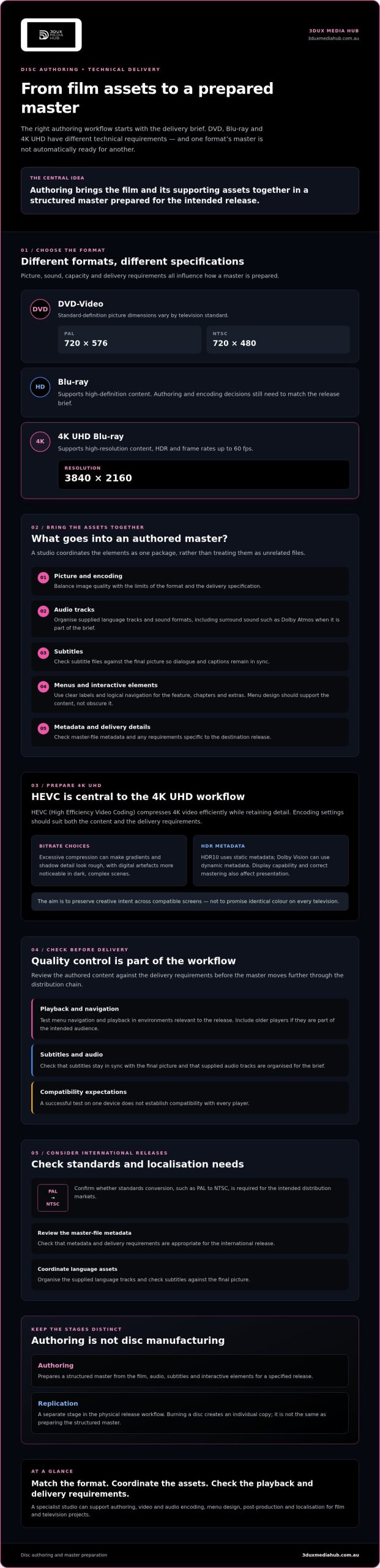
Each physical format calls for its own encoding and authoring decisions. DVD-Video uses standard-definition picture dimensions: 720 × 576 for PAL and 720 × 480 for NTSC. Blu-ray supports high-definition content, while 4K UHD Blu-ray supports 3840 × 2160 resolution, HDR and frame rates up to 60 fps. A master prepared for one format is not automatically ready for another. Picture, sound, capacity and delivery requirements all need to be considered.
4K UHD authoring is the process of preparing high-resolution, HDR video and its associated assets for compliant playback on Ultra HD Blu-ray. HEVC, or High Efficiency Video Coding, is central to this format because it compresses 4K video efficiently while retaining detail. The right encoding settings depend on the content and delivery specification. A studio with 4K experience can help assess the requirements rather than apply one bitrate to every project.
Encoding and Bitrate Optimisation
Bitrate choices affect how much visual information is preserved. Excessive compression can make gradients and shadow detail look rough, with macro-blocking and other digital artefacts more noticeable in dark, complex scenes. A higher bitrate can retain more detail, but the encode still needs to fit the format and playback requirements. HEVC encoding, source assessment and quality control help balance picture quality with reliable playback. For a closer look at the process, explore professional video encoding services.
HDR adds another consideration. HDR10 uses static metadata, while Dolby Vision can use dynamic metadata. These formats communicate how HDR content should be presented, but the result also depends on display capabilities and correct mastering. The aim is to preserve creative intent across compatible screens, not to promise identical colour on every television.
Audio Mastering and Compliance
Audio delivery should follow the target’s stated loudness, dynamic-range and channel requirements. Blu-ray releases may include formats such as DTS-HD Master Audio or Dolby Atmos, but the permitted configuration depends on the delivery specification and authoring workflow. Confirming these details early can help avoid changes late in mastering.
Standards conversion also requires an audio sync check. Changing picture timing between territories can affect the relationship between sound and image, so review both together after conversion. For theatrical releases, disc formats are not a substitute for a DCP. SMPTE’s overview of Digital Cinema Package (DCP) standards provides useful context for that separate delivery route.
Studio vs. Software: Why DIY is a Risk for Professional Releases
Authoring software can be practical for a straightforward DVD. The risks increase when a commercial release involves complex navigation, several language tracks, format-specific requirements or a fixed release window. The so-called “Encore gap” reflects a wider challenge: workflows built around older tools, including discontinued software such as Adobe Encore, may not suit current professional delivery needs. Modern authoring platforms such as Scenarist offer more control, but that control requires knowledge of structure, settings and compliance.
A disc that plays on one computer is not necessarily ready for a replication workflow or retail distribution. A rejected master can require rework and affect release timing. If a fault reaches consumers, returns and reputational damage are also possible. The cost of DIY is not just software or staff time. It includes the risk of finding a problem late in the process.
The Pitfalls of Free Authoring Software
Free tools vary in their capabilities. Some are suitable for basic DVD projects, but a DVD-focused application should not be assumed to support commercial Blu-ray or 4K UHD authoring. Before choosing a tool, check that it supports the exact format, metadata, playback and delivery requirements. Region coding and encryption options also depend on the format, software and distribution brief, so verify compatibility rather than relying on broad claims about free software.
Menu logic needs hands-on testing. A broken link, incorrect chapter jump or unreliable return-to-menu command may appear only on a particular player or playback setup. Software can flag some technical errors, but it cannot replace a considered review of the disc from a viewer’s perspective.
The Studio Advantage: Expertise and Equipment
A professional workflow combines appropriate encoding and authoring tools with experienced review. Picture and sound are checked against the brief, while menus, chapter points, subtitles and playback behaviour are reviewed as part of the complete experience. This can be especially useful for complex branching or multi-angle features, where a structural mistake may affect several parts of the disc.
Quality control adds a human review that software alone cannot provide. Reviewers can identify a menu that technically works but is confusing, or an image issue that automated checks may not assess in context. Explore the 2026 Blu-ray quality control process to see how review supports professional delivery. For complex or high-value projects, a DVD authoring studio with broadcast-quality QC and format experience can provide a more considered workflow than DIY authoring. You can also review 3DUX Media Hub’s authoring services to assess the support available for your release.
Preparing Your Film for Global Distribution Markets
International delivery starts with a clear specification, not a last-minute format change. Before authoring begins, confirm the destination formats, territories, language versions and technical requirements with each distributor or retailer. A DVD authoring studio can prepare assets against those requirements and flag missing information before it affects the release schedule.
- 1. Finalise the master. Supply approved picture and audio masters, then confirm required file formats, frame rate, aspect ratio, audio configuration and available metadata. Use clear version names so the workflow uses the correct final assets.
- 2. Check video standards. PAL DVD-Video uses 720 × 576 resolution; NTSC uses 720 × 480. Conversion involves more than saving a file in a different format. Frame-rate and image changes need to be managed to avoid judder, duplicated frames or altered motion.
- 3. Localise the release. Organise language tracks, subtitle files and menu labels for each version. Check subtitle timing against the approved picture, and verify that the audio and navigation match the selected language.
- 4. Run technical QC. Review the authored master against the delivery brief, including playback, menus, audio sync, subtitles and format-specific requirements. Distributor and retailer specifications can differ, so work from the current requirements for each destination.
Standards Conversion and Global Compatibility
Frame-rate conversion requires a deliberate workflow. Simply changing a setting can leave motion uneven or affect sync, so the method should suit the source and destination. Review the broadcast standards conversion guide for more technical context. Confirm region coding and playback requirements for the intended territories as well. Compatibility should be tested against the delivery brief, not assumed from one successful test.
Localisation and Asset Preparation
Localisation involves more than adding subtitles. Consistent track names, language selection and menu navigation help viewers choose the right version. Audio conforming for international film release is one part of aligning language versions with the picture and delivery specification. If distributors request trailers or other promotional assets, confirm their format and language requirements separately, as these may differ from the disc master.
Coordinating standards conversion, localisation and broadcast-quality QC can help prepare content for delivery across markets. Discuss global authoring and localisation requirements with 3DUX Media Hub.
3DUX Media Hub: Your Partner for Precision Disc Authoring
3DUX Media Hub brings more than 20 years of industry experience to film and television authoring and post-production. Its services include DVD and Blu-ray authoring, 4K UHD authoring, video and audio encoding, content localisation, standards conversion and broadcast-quality QC.
Each release has its own requirements. A DVD project may need clear navigation and carefully encoded standard-definition video, while a UHD title calls for a different approach to high-resolution picture and HDR assets. The workflow should match the delivery brief, with technical details checked and the handover organised. Quality control is an important part of that process.
Bespoke Solutions for Distributors and Filmmakers
Menu design should suit the content and the viewer. Motion or static menus can be shaped around a production’s visual identity, with navigation planned to make chapters, language options and bonus content straightforward to find. The aim is a polished interface that supports the film rather than distracting from it.
Before a master moves to a replication partner, confirm what QC documentation and approval steps that partner requires. Broadcast-quality checks can help identify issues in the authored content before handover, but physical disc replication is a separate service. 3DUX Media Hub’s work focuses on authoring, encoding, localisation, standards conversion and QC, rather than manufacturing discs or providing direct-to-consumer streaming.
To prepare for a technical handover, gather the approved picture and audio masters, subtitle files, language versions, menu assets and distributor delivery specifications. Use clear file names and identify the final version. If you are still deciding on formats or features, outline your release goals and intended markets so the authoring requirements can be assessed early.
Get Started with Your Mastering Project
A DVD authoring studio should be a technical partner in preparing valuable media assets, not simply a way to create a disc image. 3DUX Media Hub’s services cover DVD, Blu-ray and 4K UHD workflows, along with encoding, localisation and quality control.
Contact 3DUX Media Hub to discuss your mastering project, including the formats, assets and delivery specifications involved.
Prepare Your Film for Its Next Release
Successful distribution depends on more than a finished film. The master needs to match its target format, technical specifications and market requirements. DVD, Blu-ray and 4K UHD each call for an appropriate authoring and encoding approach, while standards conversion, localisation and QC help prepare content for different territories.
A specialist DVD authoring studio brings these technical steps together to help protect the presentation of valuable media assets and reduce avoidable delivery issues. 3DUX Media Hub provides 4K UHD and Blu-ray authoring, broadcast-quality QC and standards conversion for professional distribution workflows.
Before mastering begins, confirm your target formats, territories, language versions and delivery specifications. Then work with an experienced team to plan the steps from approved assets to a distribution-ready master.
Discuss your film’s release requirements with 3DUX Media Hub and plan a technically focused approach to your next release.
Frequently Asked Questions
What is the difference between DVD authoring and burning?
DVD authoring structures a film, audio, subtitles, chapters and menus into a master designed for the DVD format. Burning copies files or an already-authored image onto an individual disc. A burned disc may be useful for a basic review, but it is not automatically a professionally authored master ready for distribution. Authoring also involves checking navigation, playback and technical requirements before handover.
Can a professional studio help with 4K UHD authoring for my film?
Yes. 3DUX Media Hub provides 4K UHD authoring, video and audio encoding, and broadcast-quality QC. UHD authoring requires a workflow suited to high-resolution video and the delivery specification, including any HDR requirements. A studio experienced in multiple formats can help assess your source assets and intended release before preparing the master. Confirm the target format and specifications early so the workflow fits the project.
Why is standards conversion necessary for international distribution?
Standards conversion prepares video for a target format or territory when source and destination requirements differ. For DVD-Video, PAL uses 720 × 576 resolution and NTSC uses 720 × 480, so conversion involves more than changing a file setting. Frame-rate and picture handling need care to preserve natural motion and audio synchronisation. Check each distributor’s delivery specification to confirm whether conversion is required.
Do you provide menu design as part of the authoring service?
Yes. 3DUX Media Hub offers motion and static menu design as part of its authoring services. Menus can organise access to the feature, chapters, language options and bonus content, with the design shaped around the project’s visual identity. Navigation should also be tested as part of the authored master. Share your menu assets, preferred structure and delivery requirements during project preparation to help define the scope.
How long does the professional authoring process typically take?
There is no single turnaround that applies to every project. Timing depends on the format, asset readiness, menu complexity, number of language versions, delivery specifications and QC requirements. A project with approved masters and clear instructions may follow a different workflow from one requiring localisation or standards conversion. Ask the DVD authoring studio to review your materials and confirm a schedule for the specific scope before setting a release date.
What is Quality Control (QC) in the context of disc mastering?
Quality Control is the technical and viewing review of an authored master before delivery. It can include checking picture and audio playback, menu navigation, chapter points, subtitle timing and audio-to-video sync against the project specification. QC helps identify issues that may need correction before handover. The exact checks depend on the format and distributor requirements, so provide the delivery brief and confirm what the review covers.
Can you integrate subtitles and multiple audio tracks for global markets?
Yes. 3DUX Media Hub offers content localisation, including audio conforming and subtitle integration. Multiple language tracks and subtitles can be organised within the authored project, subject to the supplied assets and target format requirements. Prepare approved audio and subtitle files, identify each language clearly, and confirm the requested menu labels and playback behaviour. A final review can check that selected tracks play correctly and subtitles remain synchronised with the picture.
Is physical media still relevant for film distribution in 2026?
Yes. Physical releases remain relevant for collectors, audiences seeking a permanent edition and distribution needs where a disc is the chosen format. DVD, Blu-ray and 4K UHD suit different technical and audience requirements, so the right option depends on the release plan. Physical media also requires a distinct authoring workflow, with format-specific encoding, menus and QC. Confirm the distributor’s specifications before preparing a master.